The keyboard that listens.
Tap the mic, speak naturally, and your words appear live in Messages, Mail, Slack, Notes, WhatsApp and every other app, with the right spelling of your names. It is also a complete, free keyboard you will want to type on all day.
Voice typing that feels instant.
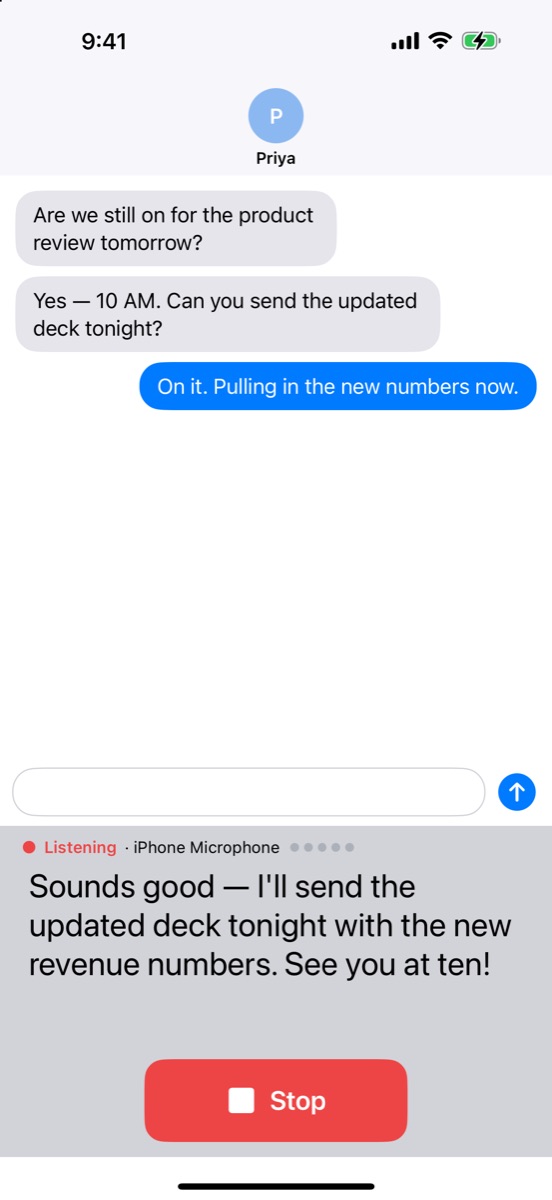
Fast, accurate speech recognition that keeps up with real conversation, long thoughts and all.
Live as you speak
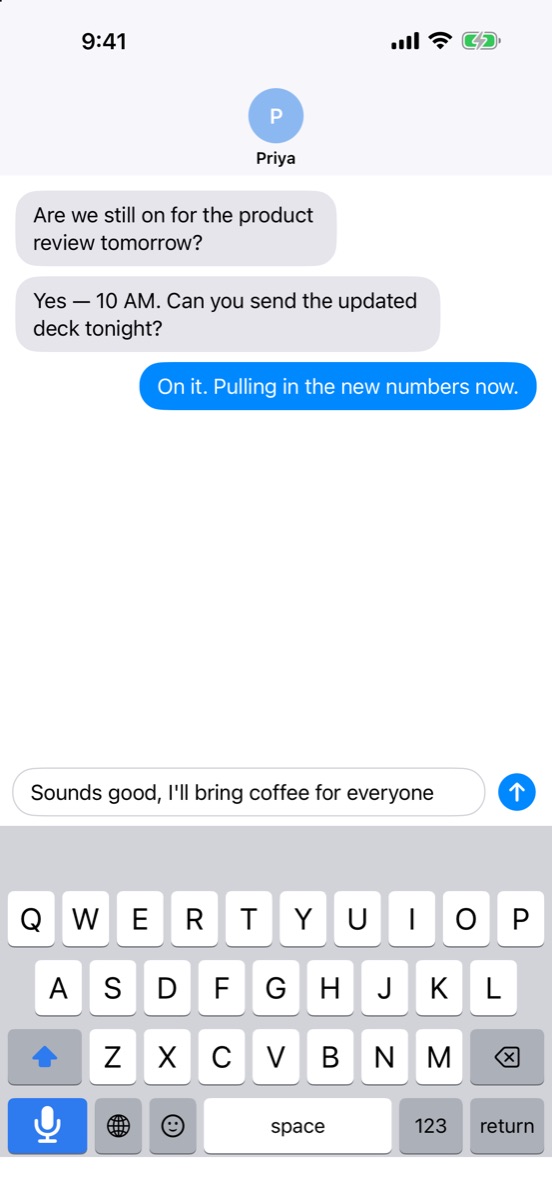
A live transcript fills the keyboard while you talk, then lands exactly where you were typing.
Talk in every app
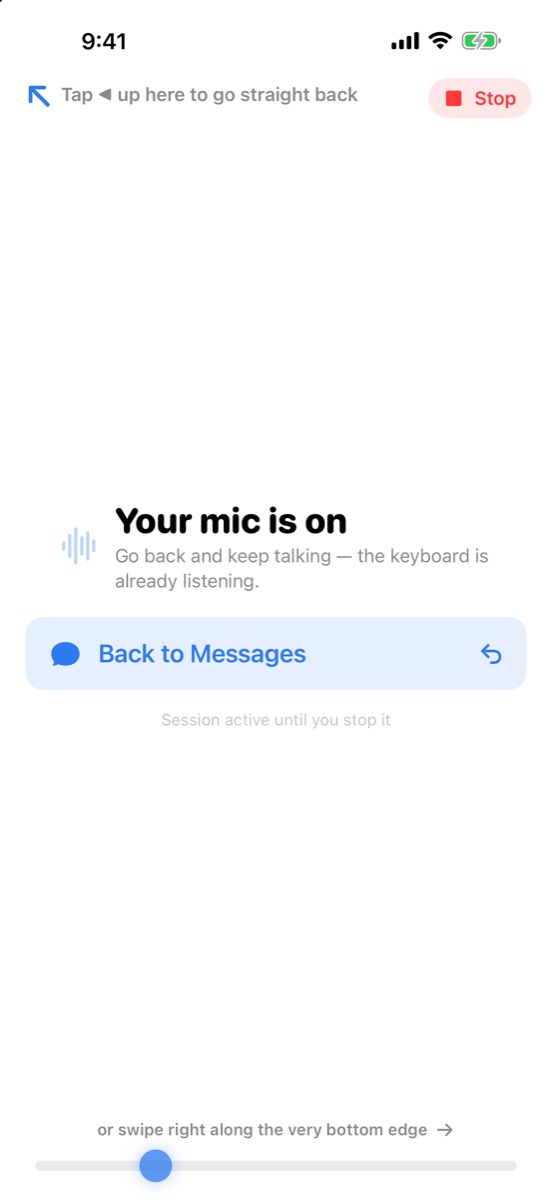
Start the mic once, then keep talking from the keyboard in any app, without switching back and forth.
Clean-up, one switch each
Correct the spelling of your names and terms, tidy obvious grammar, or change the tone. Never rewritten behind your back.
Never lose a word
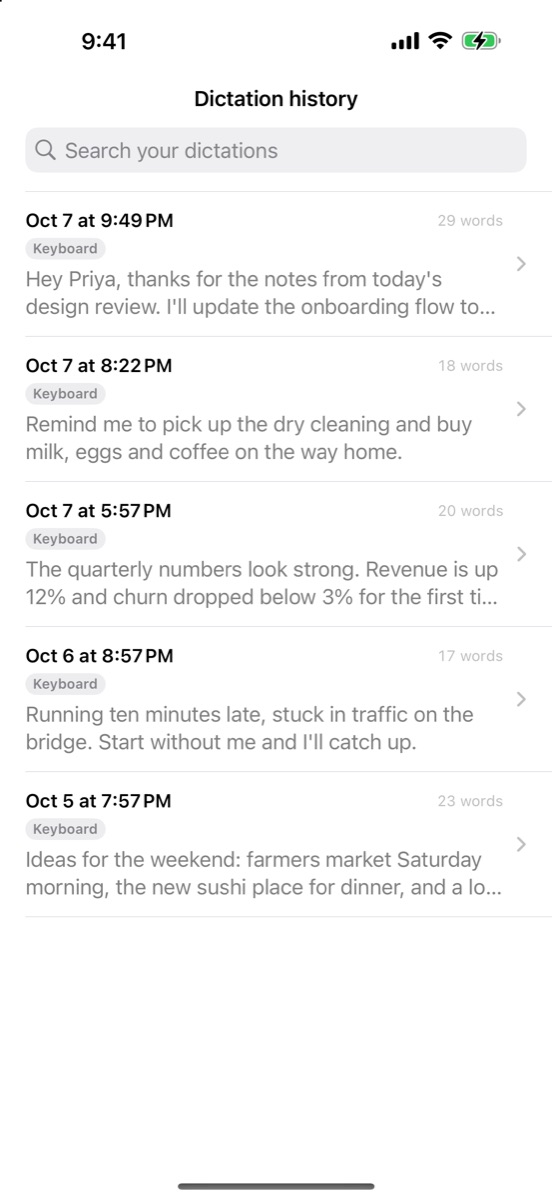
Every dictation is saved every few seconds, so a dropped connection cannot take a long thought with it. Search and copy any time.
See your time saved
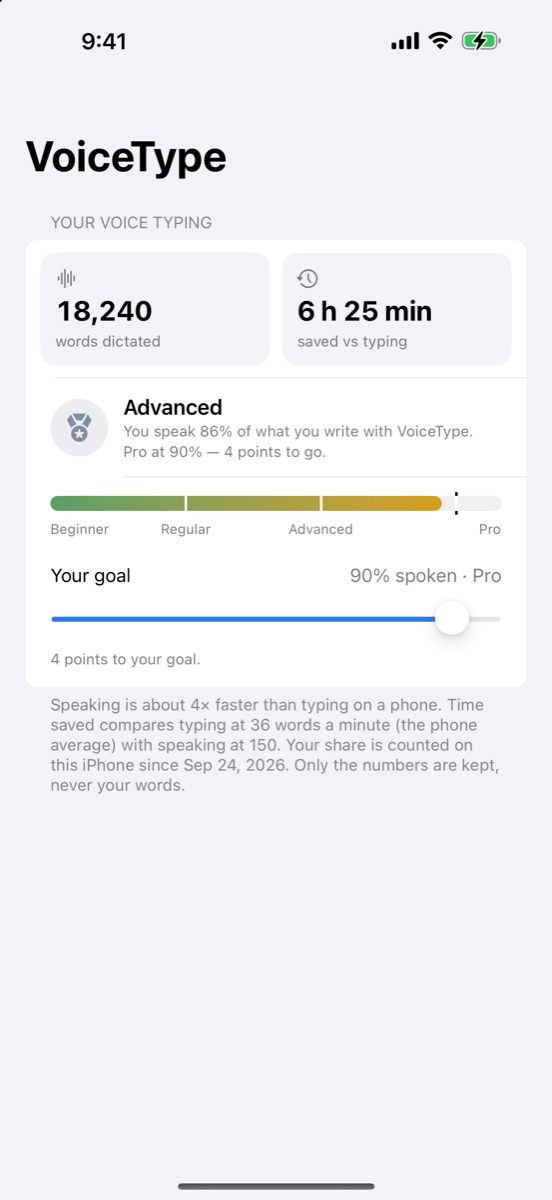
See how many words you have dictated and how much time voice has saved you.
Headsets welcome, sounds never
Works with Bluetooth headsets and AirPods, and it never makes a sound.
Everything a keyboard should do.
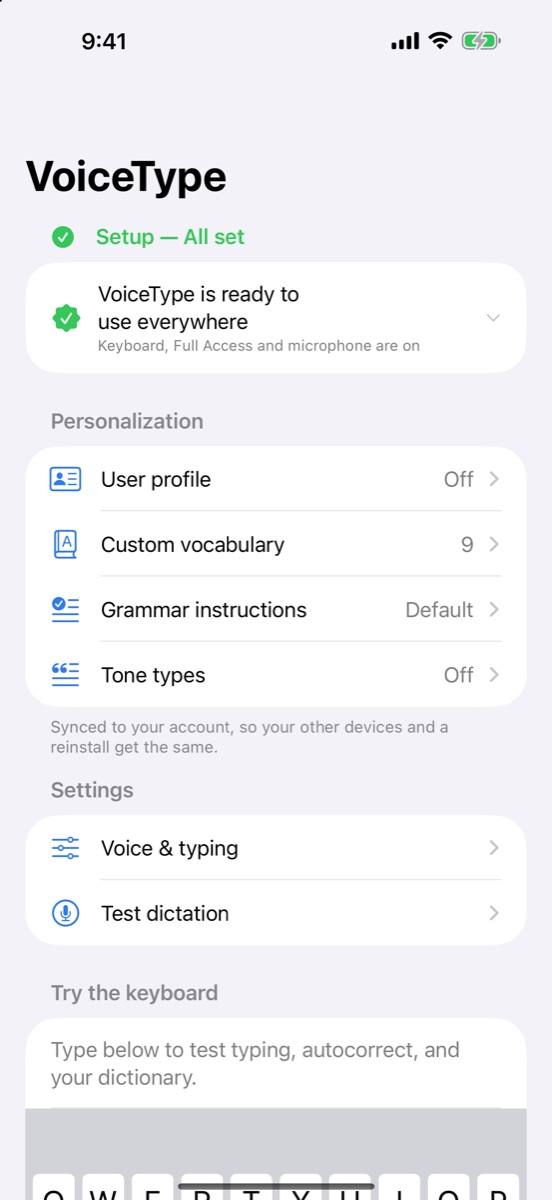
Typing is free forever. It works offline and without Full Access, and typing is processed on your iPhone.
- Full QWERTY with fast swipe typing
- Autocorrect and predictions that learn your names, products and acronyms
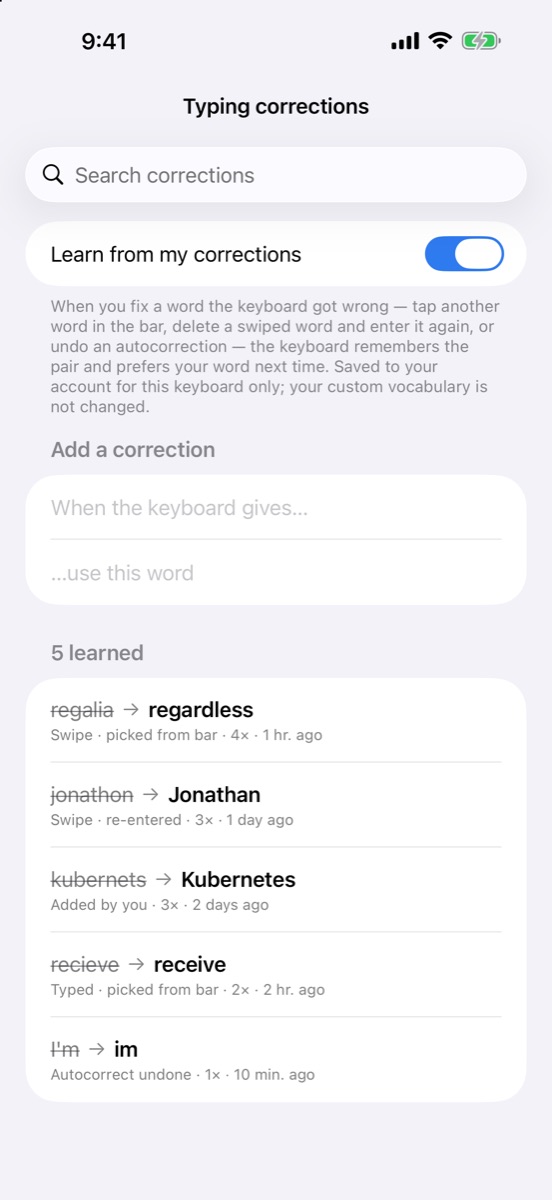
- A typing-corrections list, so a fix sticks
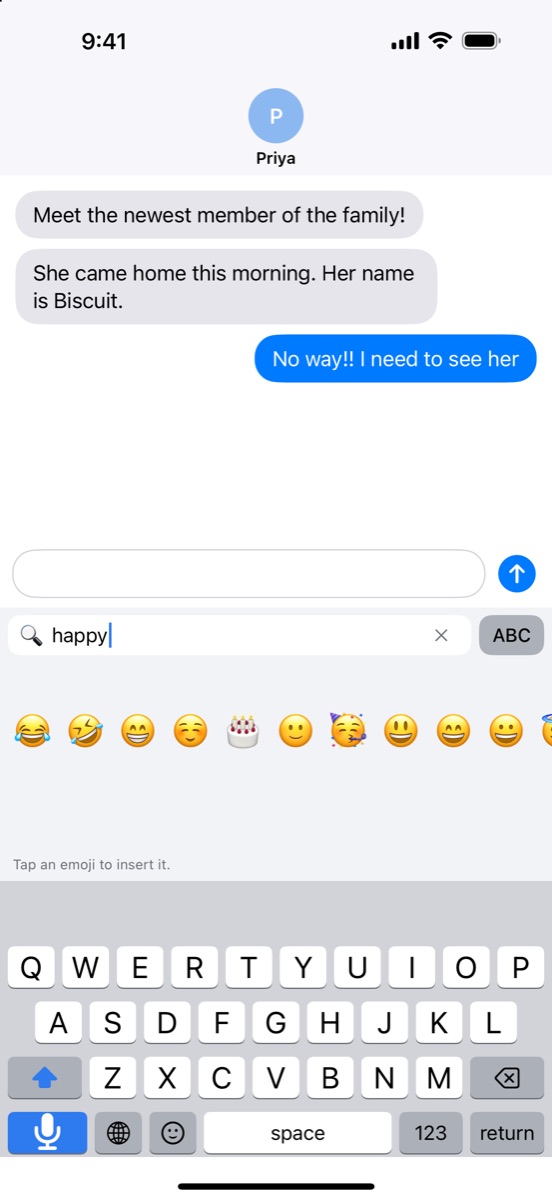
- Emoji search by name: type “happy” and the emoji appear
- Number pad, space-bar cursor control and smart spacing
The mic is one press away.
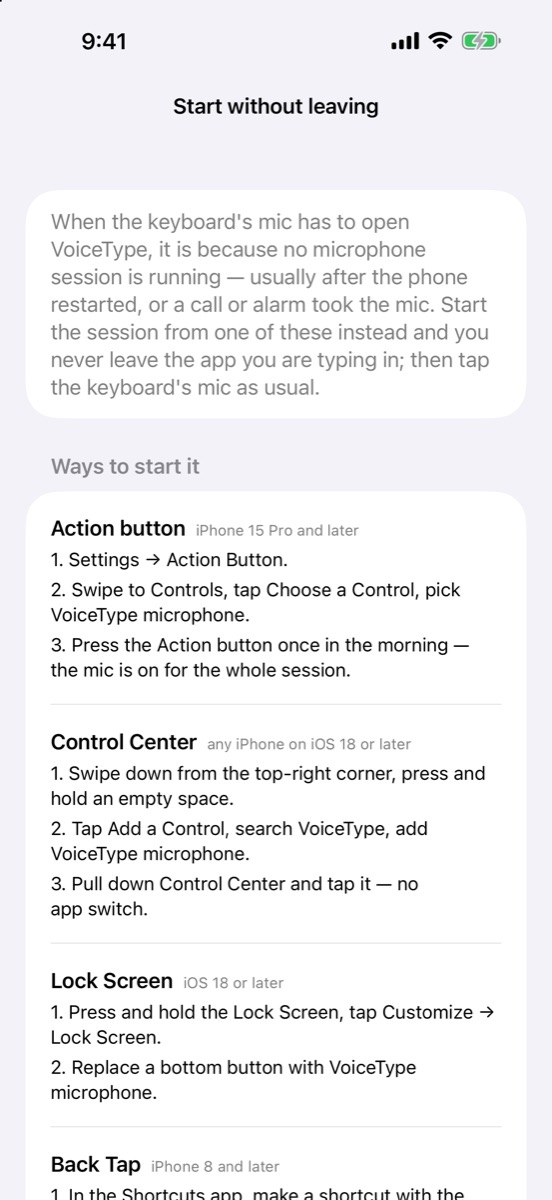
Start dictation without leaving what you are doing.
- Start it with Siri, or from Control Center, the Action button or the Lock Screen (iOS 18 or later)
- A Live Activity on the Lock Screen and in the Dynamic Island shows when the mic is on, with Stop and Resume (iOS 18 or later)
- Turn AI features off and Apple's on-device recognizer does the work without sending your voice anywhere
See it in action.
Swipe through the screens.
Your keyboard, not a listener.
A keyboard sees everything you type, so VoiceType is built to keep it to itself.
Keystrokes are processed on your iPhoneTyping, autocorrect, swipe and emoji work offline. Only typing corrections you teach it (saved to your account) and, with AI features on, emoji-search words leave the phone.
Voice only after you allow itYour voice goes to VoiceType's speech service only after you allow AI features. Turn them off and voice and clean-up run on your iPhone.
No ads, no trackingYour data is never sold.
Delete any timeDelete your account and its data in the app at any time.
Free to type. One price to talk.
Keyboard
Everything you need to type
- Swipe typing and autocorrect
- Emoji search, number pad, cursor control
- Works offline
VoiceType Monthly
AI voice typing in every app
- Voice dictation in every app
- Optional clean-up and tones
- Includes VoiceInput for Mac
Prices vary by country. The one-week free trial is for new subscribers. Payment is charged to your Apple Account when you confirm the purchase, or when the free trial ends. The subscription renews automatically unless you cancel it at least 24 hours before the end of the current period. Manage or cancel it in Settings › [your name] › Subscriptions. Terms of Use (EULA) · Privacy Policy
iPhone questions, answered.
Does VoiceType see what I type?
Your keystrokes are processed on your iPhone and are not sent to us. The only typing that leaves the phone is the typing corrections you teach the keyboard (saved to your account) and, with AI features on, words you type into emoji search (sent to Google Gemini to find emoji). Voice goes only to VoiceType's speech service, and only after you allow AI features.
Do I need Full Access?
Not for typing: typing, autocorrect, swipe and emoji work without Full Access. Voice dictation needs it, because that is how iOS lets a keyboard work with its app.
Do I need an account?
No. You can use VoiceType without one. An account keeps your vocabulary and dictation history in step across your devices. To use your subscription on a Mac, sign in with a Google or email account.
Does it work with AirPods and Bluetooth headsets?
Yes.
How do I cancel?
On your iPhone: Settings › [your name] › Subscriptions › VoiceType. Cancel at least 24 hours before the period ends to avoid the next renewal.
Can I use it on my Mac too?
Yes. VoiceInput for Mac is included with VoiceType Monthly. Sign in to VoiceType on your iPhone with a Google or email account, subscribe, then download VoiceInput and sign in on the Mac with that same account.